Share this post
Stop Guessing What Your AI Knows: How Storytell's New Interface Builds Trust in Every Answer
See exactly what data powers every answer—with the new chat sources panel
January 16, 2026
During this week's engineering demo, our engineering team shared updates on significant user interface improvements designed to make Storytell clearer, simpler, and more intuitive to use.
Andi walked the team through a comprehensive redesign of the Storytell interface, focusing on three core goals: helping users understand what they're chatting with at any given moment, simplifying navigation throughout the platform, and making data management more straightforward.
Chat sources panel: Always know what you're working with
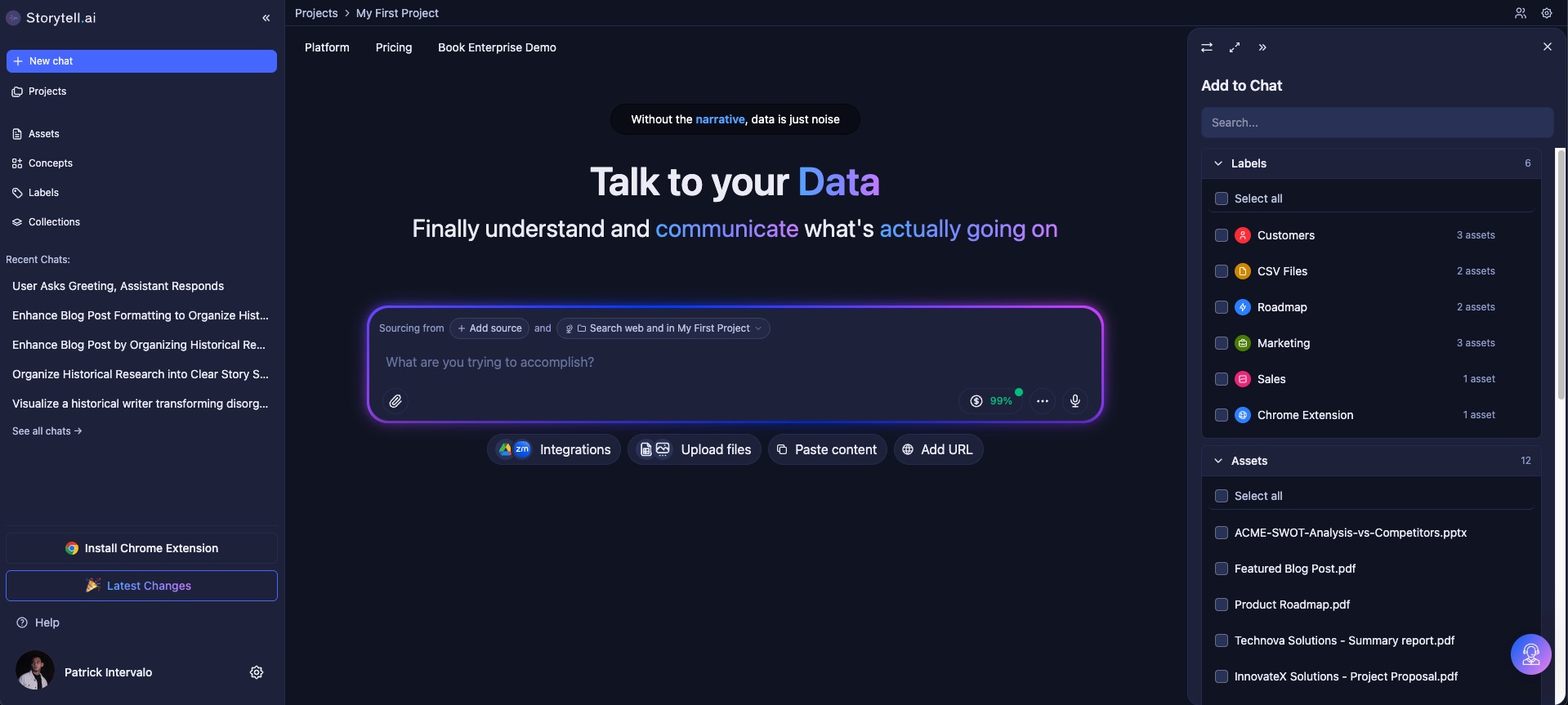
The most significant change is the introduction of a dedicated chat sources panel on the right side of the interface. This panel provides real-time visibility into exactly what data sources your chat is pulling from at any moment. When you open a chat, the panel displays which files, documents, or data sources are currently active, eliminating the guesswork about what Storytell is referencing when it answers your questions.
The chat sources panel updates dynamically as you navigate between different chats. When you ask a question about a specific file, that file becomes highlighted in the panel, making it clear what you're chatting with in that particular conversation. The panel can be hidden when you need more screen space or opened when you want to cross-reference your sources.
Within this panel, you can also see and control whether web search is enabled for your chat. A simple "+ web" indicator shows when web search is active, and you can toggle it on or off without leaving your conversation. When you receive citations in your chat responses, clicking on them opens the relevant content directly in the right panel, making it easy to verify information and explore your data further.
Simplified prompt bar and cleaner interface
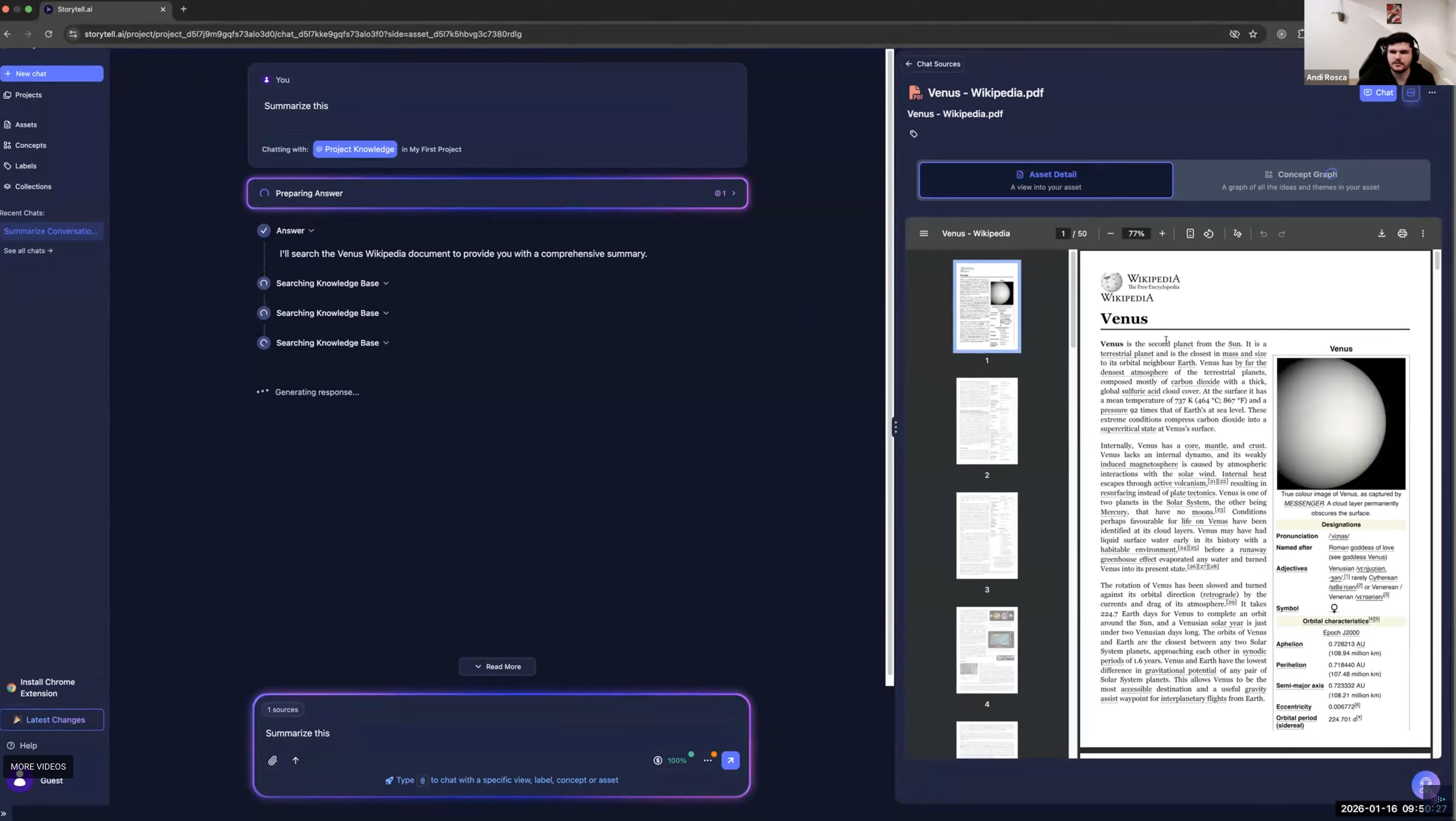
The prompt bar has been streamlined to show only essential information. Instead of displaying multiple controls and options, it now simply indicates how many sources are selected and whether web search is enabled. Clicking on the sources indicator highlights the chat sources panel on the right, creating a clear connection between the prompt bar and where you manage your data sources.
This simplification extends throughout the interface. The team received positive feedback about the overall reduction in visual clutter, with one team member noting that the interface "feels like overall, cleaner and simpler in a lot of ways" and expressing appreciation for the focus on simplification rather than adding more features. The team is exploring further simplifications, such as moving the upload functionality out of the prompt bar entirely.
Improved navigation and location awareness
The left sidebar now serves as the primary navigation hub for Storytell. All main navigation actions—accessing projects, starting new chats, and viewing your assets—are consolidated in this single location. Clicking on projects takes you to a dedicated projects page where you can see all your projects at a glance. The assets page provides a comprehensive view of all your uploaded files and connected data sources.
To help users understand where they are within the platform at all times, a breadcrumbs bar now shows your current location in the app hierarchy. For example, if you're viewing a specific asset, the breadcrumbs show that you're in "Projects > [Project Name] > Assets > [Asset Name]." While the team acknowledged that the breadcrumbs may need further iteration to make project context even clearer, this addition represents a significant step toward better orientation within the platform.
Distinct modes for different tasks
The redesign creates a clear distinction between two primary use cases: chatting with your data and managing your data. When you navigate from the left sidebar to the assets page, you enter a data management mode where you can organize, explore, and cross-reference your files. When you're in an active chat, you're in chatting mode, where the focus is on the conversation itself.
The interface also distinguishes between main panel actions and side panel actions. Primary tasks happen in the main panel, while secondary actions—like viewing citations, exploring data sources, or cross-referencing files—open in the side panel. This hierarchy helps reduce confusion about where to focus your attention and what actions are available at any given moment.
Streamlined experience for new users
For users encountering Storytell for the first time, the new interface provides a more straightforward onboarding experience. New users are greeted with clear prompts to upload files or connect data sources, with options for Google Drive integration prominently displayed. Anonymous users who want to use certain features, like connecting Google Drive, are prompted to sign up at the appropriate moment rather than being blocked from exploring the platform initially.
Once a new user uploads their first file, the interface transitions to show the full chat and data management experience, with the chat sources panel clearly displaying what they're now able to chat with. This progression helps new users understand the connection between uploading data and unlocking Storytell's capabilities.
What this means for your workflow
These interface improvements are designed to reduce friction in your daily work with Storytell. When you're managing multiple projects and data sources, the chat sources panel ensures you always know which information you're querying. When you need to verify where a particular insight came from, citations are just one click away in the side panel. When you're navigating between different parts of your workspace, the breadcrumbs keep you oriented.
The changes reflect a broader philosophy: Storytell should make working with your knowledge simpler, not more complicated. By reducing visual clutter, consolidating navigation, and providing clear feedback about what the system is doing, these updates help you focus on what matters most—getting answers from your data.
Gallery
No items found.
Changelogs
Here's what we rolled out this week
No items found.