Share this post
Storytell Platform Demo: Your Complete Guide to Data-Driven Storytelling
Learn how to become a pro-user of Storytell
December 4, 2025
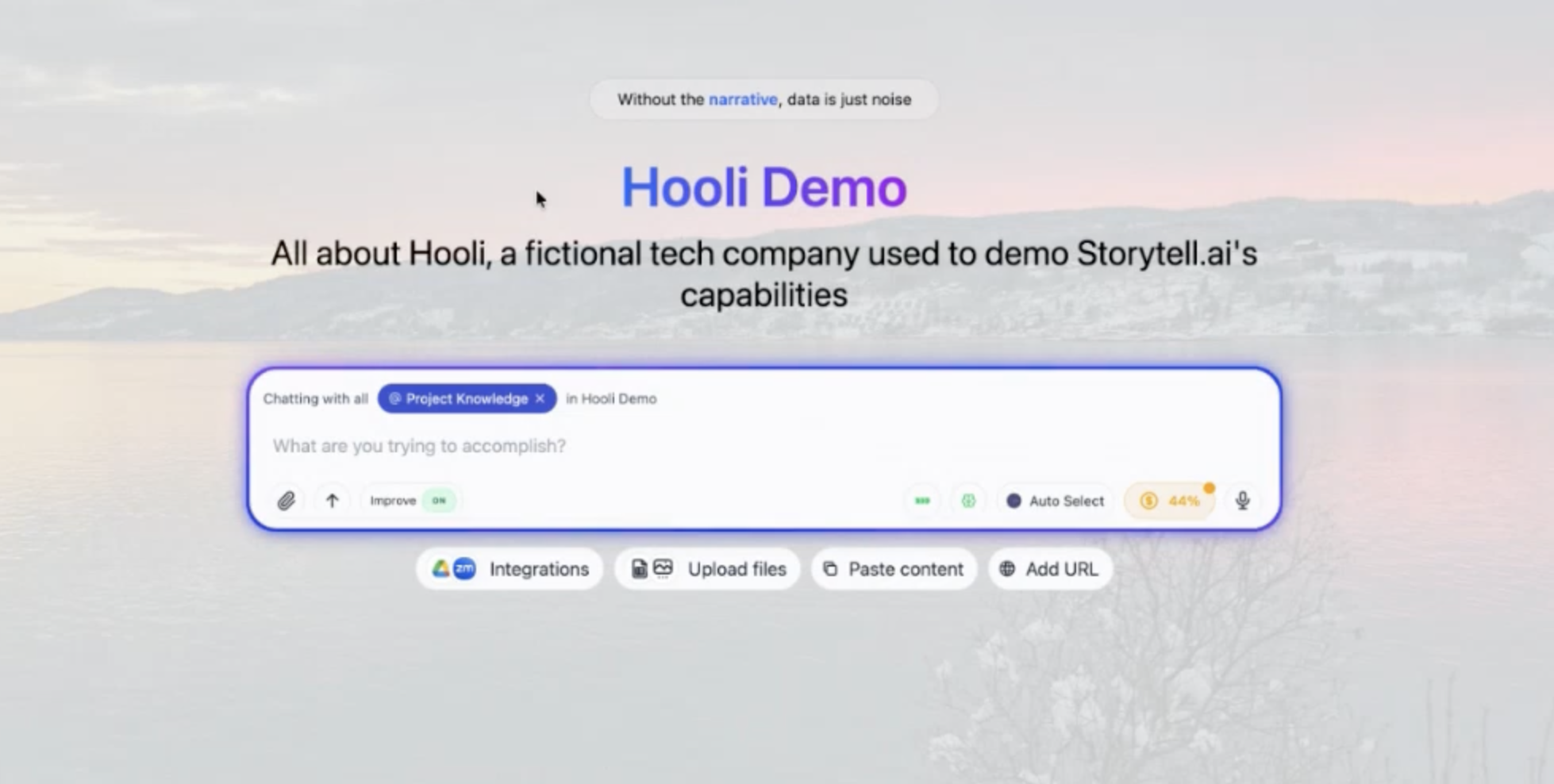
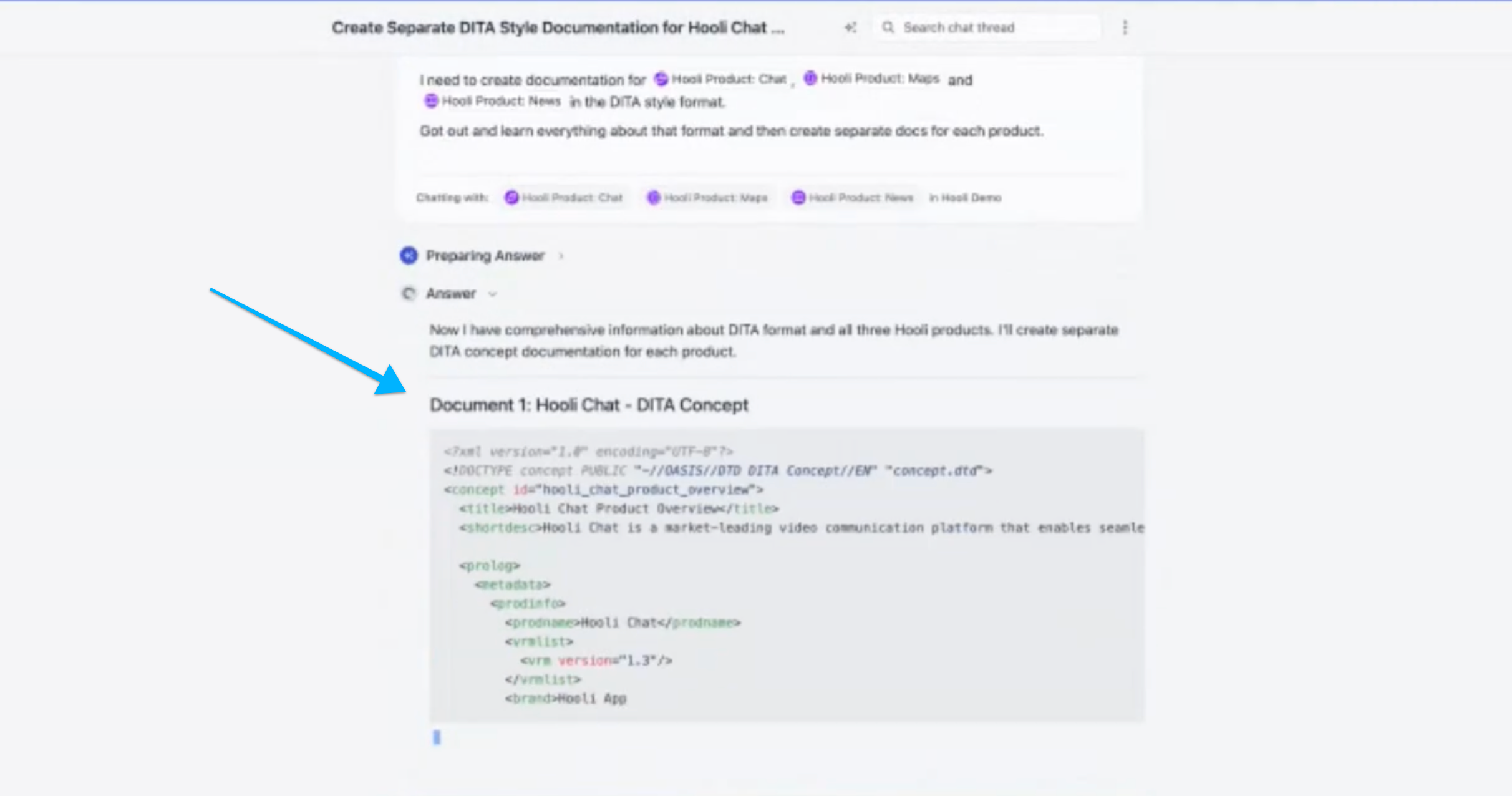
I just did a walkthrough of Storytell for Cheryl Solis, a technical writer, on our most recent office hours -- including how to use Storytell to create technical documentation in the DITA format, which turned Storytell's documentation response into XML output.
Executive Summary
Storytell is a comprehensive AI-powered platform designed to transform how teams work with unstructured data. Positioning itself as "the Cursor for unstructured data," Storytell enables users to upload documents, organize information through projects and labels, and interact with their data through intelligent AI-powered conversations. The platform excels at data-driven storytelling, offering features like automatic concept extraction through knowledge graphs, multi-modal visualizations, web data integration, markdown export for documentation, and transparent citation systems. With support for multiple AI models, 41 languages, role-based collaboration, and an extensible tool architecture, Storytell empowers both technical and non-technical users to turn their unstructured data into actionable insights and durable artifacts.
What is Storytell?
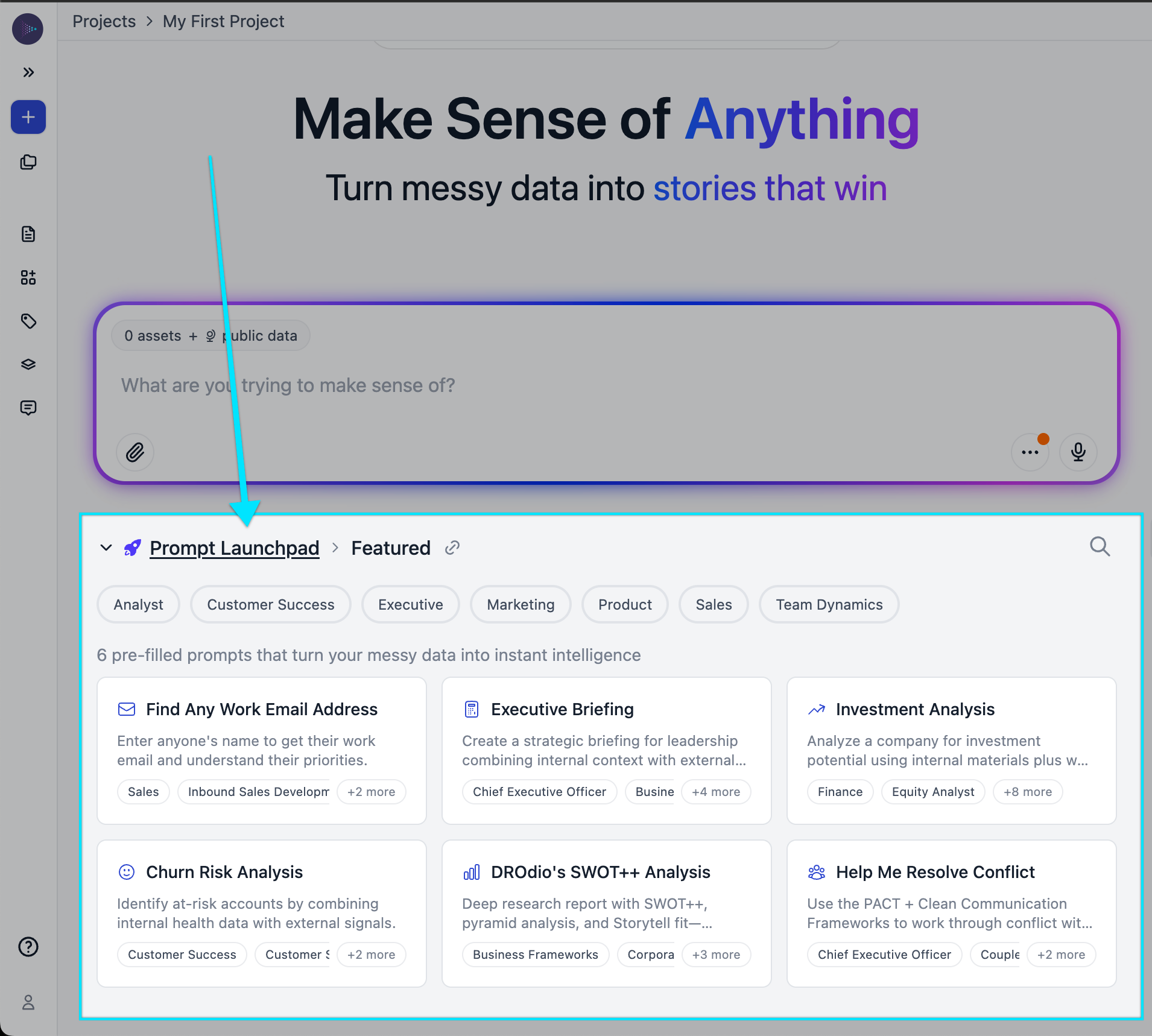
Storytell is fundamentally about enabling users to talk to their data, conduct deep research on their information, and generate outputs based on their own knowledge assets. The platform has been built to make it easy to work with and manage data in ways that weren't previously possible with traditional documentation and analysis tools.
Project Management & Organization
Multiple Isolated Projects
Storytell now supports multiple projects, accessible from the top left navigation bar. Projects serve as fully separated spaces where data exists exclusively within one project at a time. This makes projects ideal for creating dedicated workspaces for specific initiatives where you want to invite collaborators to work with particular content without exposing your entire knowledge base.
Within each project, users have two main sections: the ability to create new chats and the ability to manage the knowledge in that project.
Moving and Copying Data Between Projects
While projects are isolated by default, Storytell provides flexibility for managing content across projects. Users can select one or more files and either copy or move them between projects. When copying, the file maintains a copy in the original project while creating another copy in the destination project. Files can be viewed in either list or card view, with both formats displaying the same data in different visual layouts.
Future Sharing Capabilities
The development team has noted user requests for the ability to share data between projects, where updates in one location would automatically propagate to linked projects. This capability is on the product roadmap and would address a common challenge in technical documentation: maintaining content consistency across multiple areas.
Uploading and Managing Data
Multiple Upload Methods
Getting content into Storytell is straightforward with several options:
- Click the upload files button or paperclip icon
- Drag and drop files directly into the browser window
- Paste content with title and details
- Add content via URL
These flexible input methods accommodate different workflows and content sources.
Viewing Options
Project knowledge can be displayed in two formats:
- List view: Traditional file listing with detailed information
- Card view: More compact visual representation
Both views display the same underlying data, allowing users to choose their preferred organizational style.
Intelligent Chat Interface
Chatting with Project Knowledge
By default, when you ask a question in Storytell, it queries all the knowledge loaded into your project. The interface clearly indicates that you're "chatting with all project knowledge" along with the project name. This default behavior is highly configurable and can be adjusted in powerful ways depending on your needs.
Automatic Prompt Improvement
One of Storytell's standout features is automatic prompt enhancement. When you write a query, the platform offers an improved version that combines both your question and relevant context about the content you're querying. You have three options:
- Submit the improved prompt instead of your original
- Edit the improved prompt to refine it further
- Use your original prompt as written
This feature helps users get better results even if they're not experienced at prompt engineering.
Transparent Research Process
When Storytell processes your query, it provides complete transparency into its research process. The interface shows:
- Thinking: The initial reasoning phase
- Searched knowledge base: Specific searches performed across your assets
- Reasoning process: Decision-making logic
- Preparing answer: Final synthesis phase
Users can expand these sections to see exactly what Storytell searched for and how it decided to approach the question. This transparency builds trust and allows users to understand the AI's methodology.
Thread-Based Conversations
Storytell maintains conversation context within threads. When asking questions in an existing thread, the platform remembers the history and context from previous exchanges. If you prefer to start fresh, you can create a new chat that won't maintain memory of prior threads. This gives users control over whether they want to build on previous work or begin with a clean slate.
Deep Reasoning Mode
For complex or challenging problems, Storytell offers a deep reasoning option. When enabled, the platform spends more time analyzing your question and provides more thorough, detailed answers. This mode uses more credits but delivers superior results for difficult queries. The platform clearly indicates when deep reasoning is active and shows the extended research process.
Text Expansion and Refinement
Users can select any paragraph or text within an answer and ask Storytell to expand on it specifically. The platform recognizes which section you're working with and provides detailed elaboration on just that portion. This allows for iterative refinement and deeper exploration of particular topics without starting over.
Navigation Features
The platform includes convenient navigation tools:
- Previous/Next Prompt buttons: Quickly move between Storytell's answers
- Keyboard shortcuts: Extensive keyboard support throughout the interface for power users
- Keyboard shortcut hints: Hoverable tooltips show available shortcuts (can be disabled in settings)
These features make it easy to review conversation history and navigate efficiently.
AI Model Selection and the LLM Router
Auto-Select or Manual Control
Storytell features an intelligent LLM router that can automatically select the best large language model for your specific question. The selection menu, located in the chat interface, offers:
- Auto-select: Let Storytell choose the optimal model (default and recommended)
- Anthropic: Manually select Claude models
- OpenAI: Manually select GPT models
- Google: Manually select Gemini models
This flexibility allows users to either trust the platform's judgment or exercise precise control when they have specific model preferences.
Latest Models and Fast Updates
Storytell maintains up-to-date model access, typically adding new models within hours or days of their release. The platform supports the latest versions, including Gemini 3.0 Pro. The interface shows which model answered your specific query, providing transparency about which AI generated each response.
Enterprise Custom Models
For enterprise clients with their own company-specific language models, Storytell's router architecture can accommodate custom LLMs. The infrastructure is built to support enterprise-specific models alongside the standard offerings.
Credit System
Storytell operates on a credit-based system where each query consumes credits based on complexity and the model used. The interface displays:
- Credits used for each query
- Current credit balance
- Options to upgrade account or refill credits when running low
Deep reasoning mode and more powerful models consume more credits, giving users transparency about resource usage.
Labels and Data Organization
Creating and Applying Labels
Labels provide a powerful way to organize and categorize content within your project. When labeling an asset, you can:
- Apply existing labels
- Create new labels with custom icons and colors
- Apply multiple labels to a single asset
For example, you might label content as "executive summaries," "about Willie," or any other organizational category that makes sense for your work.
Efficient Batch Operations
Labels shine when working with multiple assets. Rather than mentioning 10 or 100 assets individually, you can apply a label to that group and then reference the label. This is particularly useful for documentation generation, allowing you to say "create documentation for all assets with the 'product features' label" without specifying each asset separately.
Auto-Generated Labels
Storytell automatically creates certain labels for system-generated content. For instance, when you add a Storytell answer back to your project knowledge, it's automatically tagged with a "generated by Storytell" label. This helps distinguish AI-generated content from original source materials.
Concept-Driven Knowledge Graphs
Automatic Concept Extraction
One of Storytell's most innovative features is its automatic concept extraction. While labels are manually applied by users, concepts are automatically discovered and mapped by the platform. When you upload content, Storytell analyzes it and identifies all the concepts present, creating a dynamically generated knowledge graph.
Dual View: Assets vs. Concepts
The platform provides a slider interface that lets you shift between two fundamentally different views of your data:
- Asset view: Traditional document/file-based perspective
- Concept view: Shows all concepts extracted from your content
This represents "a new view into data that we've never had as humans before," allowing users to explore their information space conceptually rather than just document-by-document.
Exploring the Knowledge Graph
The concept graph provides multiple ways to understand your information:
- Graph visualization: See concepts as interconnected nodes
- Connection analysis: Click on concepts to see which ones are most connected
- Concept details: View descriptions and source documents for each concept
- Cross-document concepts: See how concepts span across multiple assets
For example, a concept like "ecosystem and new strategy" might draw from multiple documents: an "about" document, a product one-pager, and other sources. The platform aggregates all related information from across your project into a single conceptual view.
Working with Concepts
You can interact with concepts directly by:
- Selecting a concept to chat specifically about it
- Viewing all assets that contribute to that concept
- Understanding relationships between concepts
- Making sense of large amounts of unstructured data without manually labeling everything
This is particularly powerful for exploring unfamiliar datasets. You can simply ask "what's this all about?" and the concept graph will reveal the thematic structure.
Web Search Integration
Breaking Out of the Knowledge Base
While Storytell defaults to working with your uploaded knowledge, it can also integrate external web data when needed. By explicitly requesting web searches in your prompt, you can have Storytell go beyond your internal documents to gather current information from the internet.
Combined Internal and External Sources
When web search is invoked, Storytell:
- Searches the web for relevant information
- Shows the web search process transparently
- Provides clickable links to web sources
- Combines internal citations with web citations in the answer
- Delivers more comprehensive responses that blend your data with external context
The platform is intelligent enough to recognize when web searches are appropriate. For example, when asked about a fictional company from an HBO show, Storytell recognized the reference and automatically searched the web to learn more about it.
Controlling Web Access
Web search is implemented as a tool that can be toggled on or off. If you want to ensure Storytell only uses your internal data and never accesses external information, you can disable the web search tool in the settings. This gives organizations control over whether the AI can reach outside their knowledge base.
Visualization and Image Generation
Visualize Any Answer
Storytell isn't limited to text-based responses. Any answer can be visualized using the "Visualize this answer" button. You have two approaches:
- Let Storytell automatically choose the best visuals
- Select specific visualization types yourself
You can specify how many images you want (1, 4, or more) and what types would be most useful for your needs.
Multiple Visualization Types
Storytell offers diverse image generation options:
- Photo-realistic scenes: Realistic depictions of scenarios
- Metaphor images: Conceptual representations
- Blog post hero images: Eye-catching headers
- Product mockups: Visualizations of products
- Infographics: Information-dense visual summaries
- Word clouds: Text frequency visualizations
You can select multiple types simultaneously, and Storytell will generate all of them based on a single answer.
Multi-Model Image Generation
The platform uses an intelligent router for image generation, similar to its LLM router. It leverages:
- DALL-E
- Nano Banana
- ImageGen
By selecting the best model for each image type, Storytell optimizes quality across different visualization needs.
Current Limitations (Beta Feature)
Image generation is marked as a beta feature with some important caveats:
- Text in images can sometimes be misspelled
- Graphs and charts may have labeling errors
- Infographics generally work well
- Photo-realistic images tend to perform best
The development team expects these limitations to be resolved within months as image generation technology continues to improve. Users should carefully review any generated images, especially those containing text, charts, or graphs.
Image Revision
While you can't directly edit images, you can revise them using text instructions. Clicking "Revise image" takes the original prompt and allows you to add modifications. The platform then regenerates the image incorporating your changes. This iterative approach can quickly refine images without manual editing tools.
Customizable Backgrounds
Supporting its data-driven storytelling mission, Storytell offers customizable background images on the homepage. Users can:
- Choose between real and fictional Earth landscapes
- Set a specific image as a permanent background
- Let Storytell choose backgrounds dynamically
- Turn off background images entirely
This creates a more visually engaging experience while working with your data.
Citations and Transparency
Built-In Citation System
Every answer in Storytell includes citations that show exactly where information came from. Citations are clickable, allowing you to:
- Open the source document
- See the specific passage referenced
- Verify the accuracy of Storytell's interpretation
- Understand the context around cited information
This citation system builds trust and enables verification of AI-generated content.
Multiple Citation Types
Citations can come from:
- Internal project knowledge (your uploaded documents)
- Web sources (when web search is enabled)
The platform distinguishes between these sources, making it clear whether information came from your proprietary data or external resources.
Future Monetization Possibilities
The development team has discussed potential future features for citation monetization. For example, if you're citing content from a technical writer or collaborator, there could be mechanisms to compensate them based on citation usage. While not currently implemented, this represents the kind of innovative thinking around attribution and value flow in AI-powered platforms.
Export and Editing Features
Multiple Export Options
Storytell provides several ways to work with generated answers:
Copy Functions:
- Standard copy (plain text)
- Copy as markdown (preserves formatting)
PDF Options:
- Download as PDF (local file)
- Share as PDF (generates shareable link)
These export options make it easy to incorporate Storytell's outputs into other workflows and tools.
Built-In Editor
The "Open in editor" option launches an editing interface where you can:
- Modify text directly
- Format content (titles, headings, etc.)
- Refine AI-generated content before export
- Prepare content for final use
This bridges the gap between AI generation and human refinement.
Feedback Loop: Add to Project Knowledge
One of Storytell's most powerful features is the ability to add AI-generated answers back into your project knowledge. This creates a virtuous cycle where:
- You ask questions about your data
- Storytell generates insights and summaries
- You add those outputs back to your knowledge base
- Future queries can reference these synthesized insights
Content added this way is automatically labeled as "generated by Storytell," maintaining clear provenance.
Documentation Generation
Creating Documentation from Labels
Storytell excels at generating structured documentation from labeled content. The workflow demonstrated in the demo shows how you can:
- Label related assets (e.g., "Hooli product chat," "Hooli product maps," "Hooli product news")
- Reference these labels in your documentation request
- Have Storytell generate comprehensive documentation across all labeled assets
This is particularly valuable when dealing with 10, 100, or more assets—you can reference them as a group rather than individually.
Markdown Export for Documentation
Storytell supports markdown export, making it compatible with modern documentation workflows. While there's currently a copy-and-paste step, users can:
- Generate documentation content in Storytell
- Copy as markdown
- Paste into documentation systems
- Maintain formatting and structure
The platform recognizes that while this works for small operations, the goal is to enable more scalable, automated workflows.
Specialized Format Generation (DITA Example)
The platform demonstrated the ability to generate documentation in specialized formats like DITA (Darwin Information Typing Architecture), an XML-based standard for technical documentation. When asked to create DITA-formatted documentation:
- Storytell searched the web to learn about DITA format
- Applied that format knowledge to the labeled content
- Generated properly structured DITA XML output
This capability extends beyond markdown to various documentation standards and formats.
Vision: Project-to-Website Pipeline
The discussion revealed a future vision where:
- A project functions as a complete documentation website
- Content is assembled within Storytell using AI and human input
- A button press exports directly to structured markdown directories or web pages
- Navigation and structure are automatically generated
This would transform Storytell from a documentation assistant into a complete documentation publishing platform.
Collaboration and Permissions
Role-Based Access Control
Storytell implements a comprehensive role-based permission system with four roles (Editor role coming soon):
Owner:
- Create new projects
- See users and rename projects
- Delete projects
- Invite people to projects
- Full access to assets and labels
- All permissions
Collaborator:
- Work with assets and labels
- Create and participate in chats
- Cannot manage project settings or users
Reader:
- View-only access
- Cannot modify project content
Editor (coming soon):
- Will slot between Owner and Collaborator
- Detailed permissions to be announced
Administrator (on roadmap):
- Will sit between Owner and Editor
- Designed for IT administrators to manage role grants
- Backend infrastructure already in place
The permissions documentation details exactly what each role can and cannot do, providing clarity for team management.
Three Sharing Methods
Projects can be shared in three different ways:
1. Secret Link:A shareable URL that grants access to anyone who has the link. When creating the link, you specify whether recipients join as Owner, Collaborator, or Reader.
2. Email Invitation:Send invitations directly to specific email addresses. Recipients receive an email with an invitation to join the project at the specified permission level.
3. Domain Access:Grant access to everyone with an email address from a specific domain (e.g., @storytell.ai). Anyone from that domain who uses the platform will automatically see the project in their available projects list with the specified role.
These options provide flexibility for different collaboration scenarios, from small team projects to company-wide initiatives.
Enterprise-Grade Permissions
For enterprise contracts, Storytell can implement highly nuanced role-granting configurations. The backend infrastructure uses an access grant system that allows fine-grained control over permissions. While this level of customization isn't yet exposed to all users, the technical foundation is in place to support complex organizational needs.
Extensibility and Tools
Tools Architecture
Storytell operates on a tools-based architecture where different capabilities are implemented as discrete tools that the AI can invoke. Current tools include:
- Knowledge base search
- Web search
- Image generation
- And more
These tools are visible in the tools section of the interface, where users can see which tools are available and toggle them on or off.
Customizable Tool Access
Users can control which tools Storytell can use. For example:
- Disable web search if you want to ensure the AI only uses internal data
- Turn off specific image generation models
- Customize which capabilities are available for your workflow
This gives organizations control over how the platform operates within their security and compliance requirements.
Vision for Custom Tools
The demo discussed the potential for creating custom tools, such as:
- Format-specific generators (DITA, custom XML formats)
- Pipeline tools for automated workflows
- Integration with static site generators
- Domain-specific transformation tools
While these aren't available out-of-the-box yet, the architecture is designed to support them. There's even discussion of an ecosystem similar to Splunk's app marketplace, where developers could create and share tools that work with Storytell.
Additional Features and Customization
Multi-Language Support
Storytell natively supports 41 languages. The platform detects your browser settings by default but allows manual language selection if you prefer a different language than your browser default. This makes Storytell accessible to global teams working in diverse linguistic contexts.
Keyboard Shortcuts
Power users will appreciate extensive keyboard shortcut support throughout the platform. Shortcuts enable:
- Quick navigation between chats
- Creating new chats
- Moving through the interface efficiently
Keyboard shortcut hints appear when hovering over buttons, but this feature can be disabled in settings if you prefer a cleaner interface.
Settings and Preferences
The gear icon provides access to various customization options:
- Language preference
- Keyboard shortcut hints (on/off)
- Background image settings
- Model selection preferences
- Credit balance and account management
These settings allow users to tailor Storytell to their personal preferences and workflow.
Platform Vision and Philosophy
"Cursor for Unstructured Data"
The stated objective for Storytell is to become "the Cursor for unstructured data." Just as Cursor has become essential for working with code, Storytell aims to be the go-to platform for working with everything that isn't code, structured databases, or data warehouses. This includes documents, notes, presentations, PDFs, and all other forms of unstructured information.
Empowering Non-Builders to Build
A core philosophy is enabling people who have never been builders to become creators of durable artifacts. Storytell aims to help users take the knowledge in their heads and create lasting, amplified outputs that can be shared, refined, and built upon. This democratization of creation is central to the platform's mission.
Surprising Capabilities
The demo revealed moments where Storytell surprised even its creators with what it could accomplish. The development team maintains an attitude of exploration, discovering new use cases and capabilities as users push the platform in unexpected directions. This suggests a platform with significant depth and emergent possibilities.
Conclusion
Storytell represents a comprehensive reimagining of how we work with unstructured data. By combining intelligent AI models, transparent research processes, automatic concept extraction, multi-modal outputs, and collaborative features, it creates a platform where data becomes genuinely conversational and actionable.
Whether you're a technical writer generating documentation, a researcher analyzing diverse sources, a business analyst synthesizing insights, or a team leader organizing institutional knowledge, Storytell provides the tools to transform raw information into structured understanding and polished outputs. As the platform continues to evolve with new tools, enhanced automation, and deeper integrations, it's positioning itself as an essential tool for anyone who works with information in the modern era.
Gallery
No items found.
Changelogs
Here's what we rolled out this week
No items found.